环境: NetBSD 8.0 amd64
-
将u盘接入
-
确定u盘的设备名
-
确定分区
-
确定文件系统
-
使用对应的工具挂载
获取u盘设备名
dmesg 为打印内核日志
u盘设备名一般被命名为sd+数字
$ dmesg | grep sd
这里我的u盘为sd0
$ dmesg | grep sd
sd0 at scsibus0 target 0 lun 0: <Multiple, Card  Reader, 1.00> disk removable
sd0: fabricating a geometry
sd0: 14910 MB, 14910 cyl, 64 head, 32 sec, 512 bytes/sect x 30535680 sectors
sd0: fabricating a geometry
获取分区和文件系统类型
disklabel 可以读盘的信息
# disklabel 设备名
我的u盘信息:
# disklabel sd0
# /dev/rsd0:
type: SCSI
disk: Card  Reader
label: fictitious
flags: removable
bytes/sector: 512
sectors/track: 32
tracks/cylinder: 64
sectors/cylinder: 2048
cylinders: 14910
total sectors: 30535680
rpm: 3600
interleave: 1
trackskew: 0
cylinderskew: 0
headswitch: 0           # microseconds
track-to-track seek: 0  # microseconds
drivedata: 0

5 partitions:
#        size    offset     fstype [fsize bsize cpg/sgs]
 d:  30535680         0     unused      0     0        # (Cyl.      0 -  14909)
 e:  30535617        63      MSDOS                     # (Cyl.      0*-  14909)
disklabel: boot block size 0
disklabel: super block size 0
从打印信息可以看到:
u盘有1个分区 : e
e分区为 MSDOS类型 (FAT 或 FAT32)
使用指定工具挂载
# mount_分区格式 /dev/设备名加分区字母
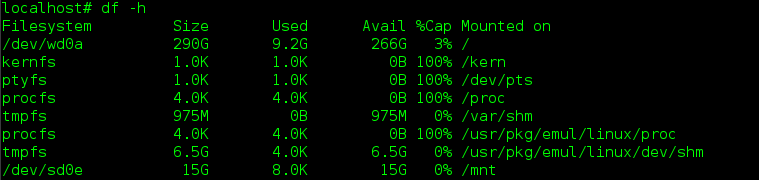
我要挂载我u盘 sd0 的 e 分区到 /mnt
# mkdir /mnt
# mount_msdos /dev/sd0e /mnt
卸载分区
sync 为同步写入
# sync
# umount /dev/设备名加分区字母
我要卸载我u盘 sd0 的 e 分区
# sync
# umount /dev/sd0e
卸载失败
-
检查当前shell工作目录是否在挂载到的目录内? 如果是则退出
-
检查读写u盘的进程是否退出
http://netbsd.gw.com/cgi-bin/man-cgi?disklabel+8+NetBSD-current
https://www.netbsd.org/docs/guide/en/chap-rmmedia.html#using-usb-flash-drives